Acknowledgement flow
Introduction
The acknowledgement flow uses the Acknowledgement framework. It manages both technical and business acknowledgements, covering success and failure scenarios. Acknowledgements are a mandatory part of the data flow and play a critical role in reducing operational risk. If an expected acknowledgement is not received within the defined timeframe, an alert is raised and the relevant Standard Operating Procedure is triggered.
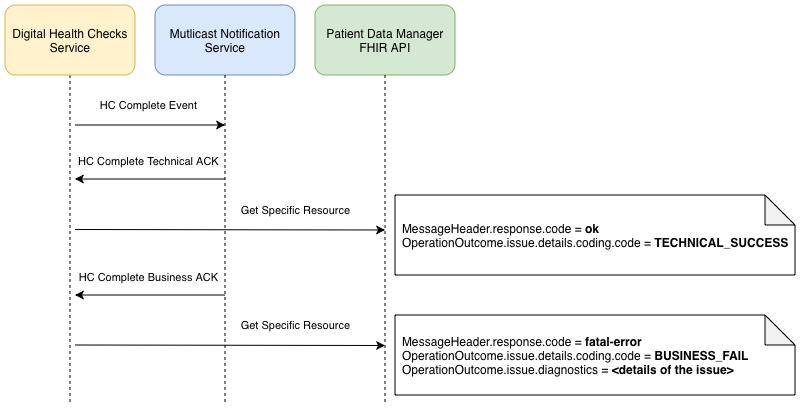
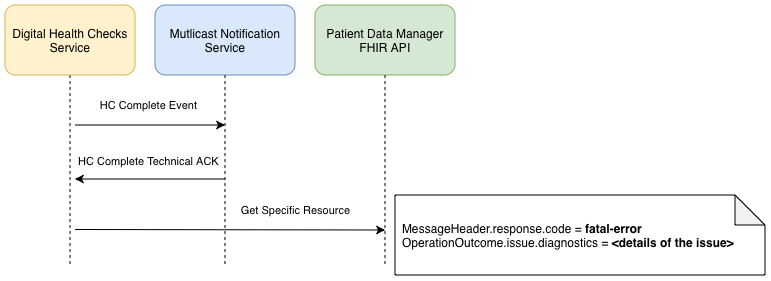
Under the framework, the consumer of a Health Check notification must retrieve the data from PDM. After receiving the Health Check event, the consumer might issue a technical acknowledgement. A business acknowledgement must follow once the data has been successfully written to the patient record.
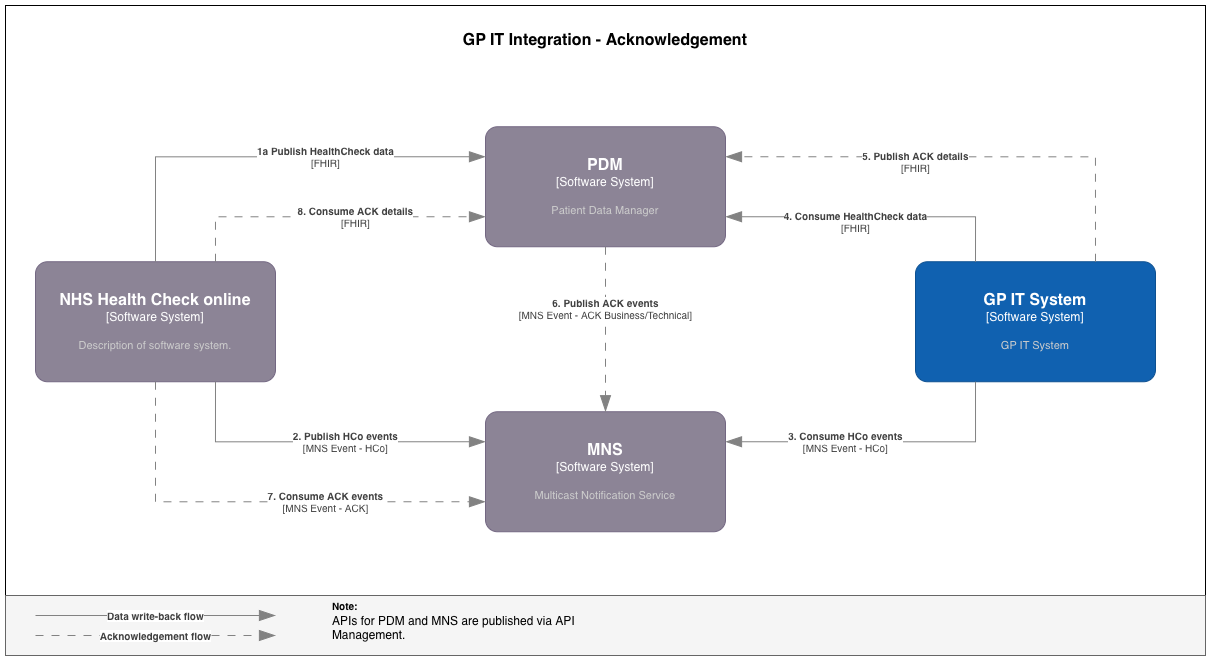
The acknowledgement process follows these steps:
- The data consumer interfaces with PDM.
- The MessageHeader and OperationOutcome FHIR resources are used to carry acknowledgement details.
- Once these resources have been successfully created, PDM issues an MNS notification to inform the NHS Health Check Service that the acknowledgement is ready to be retrieved.
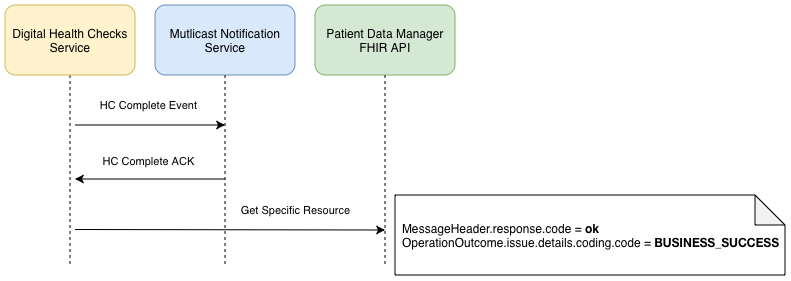
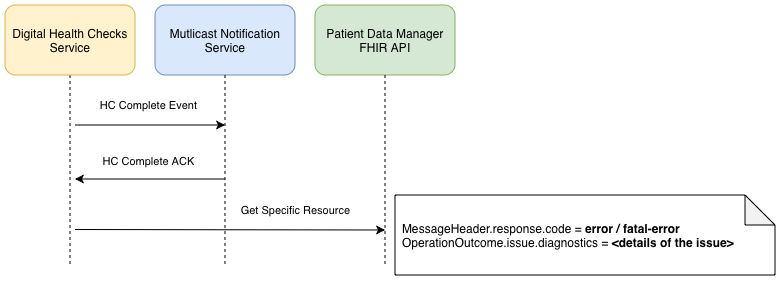
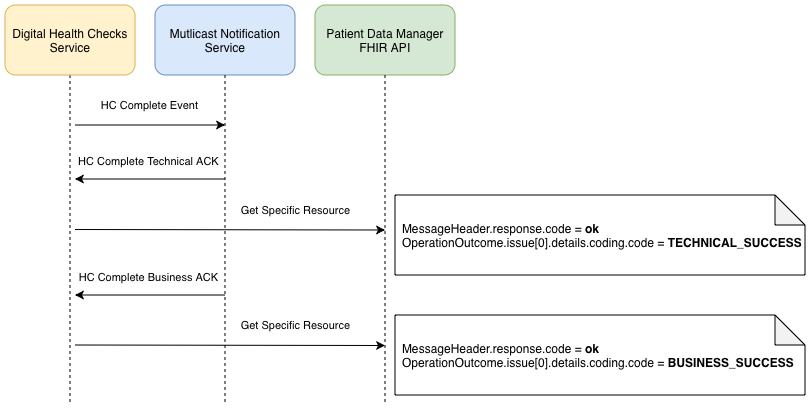
The framework supports two acknowledgement modes. In single-acknowledgement mode, one acknowledgement message is issued for each outbound event. Acknowledgements can also be split into two separate messages:
- Technical acknowledgement — issued when the subscribed consumer receives the event.
- Business acknowledgement — issued when the subscribed consumer has processed the event.
Single acknowledgement mode
Positive acknowledgement (business acknowledgement)
Negative acknowledgement (business acknowledgement)
Business and technical acknowledgement mode
Positive technical and positive business acknowledgement
Positive technical and negative business acknowledgement
Negative technical acknowledgement
Positive technical and no business acknowledgement
Failure to receive a business acknowledgement within the agreed timeframe will trigger an alert.
No acknowledgement
Failure to receive a business acknowledgement within the agreed timeframe will trigger an alert.
Edit this page on GitHub